
Swimming calculators and training tools

Explore free swimming calculators and tools for training, race planning and workout review. Choose the right tool with practical examples and clear guides.

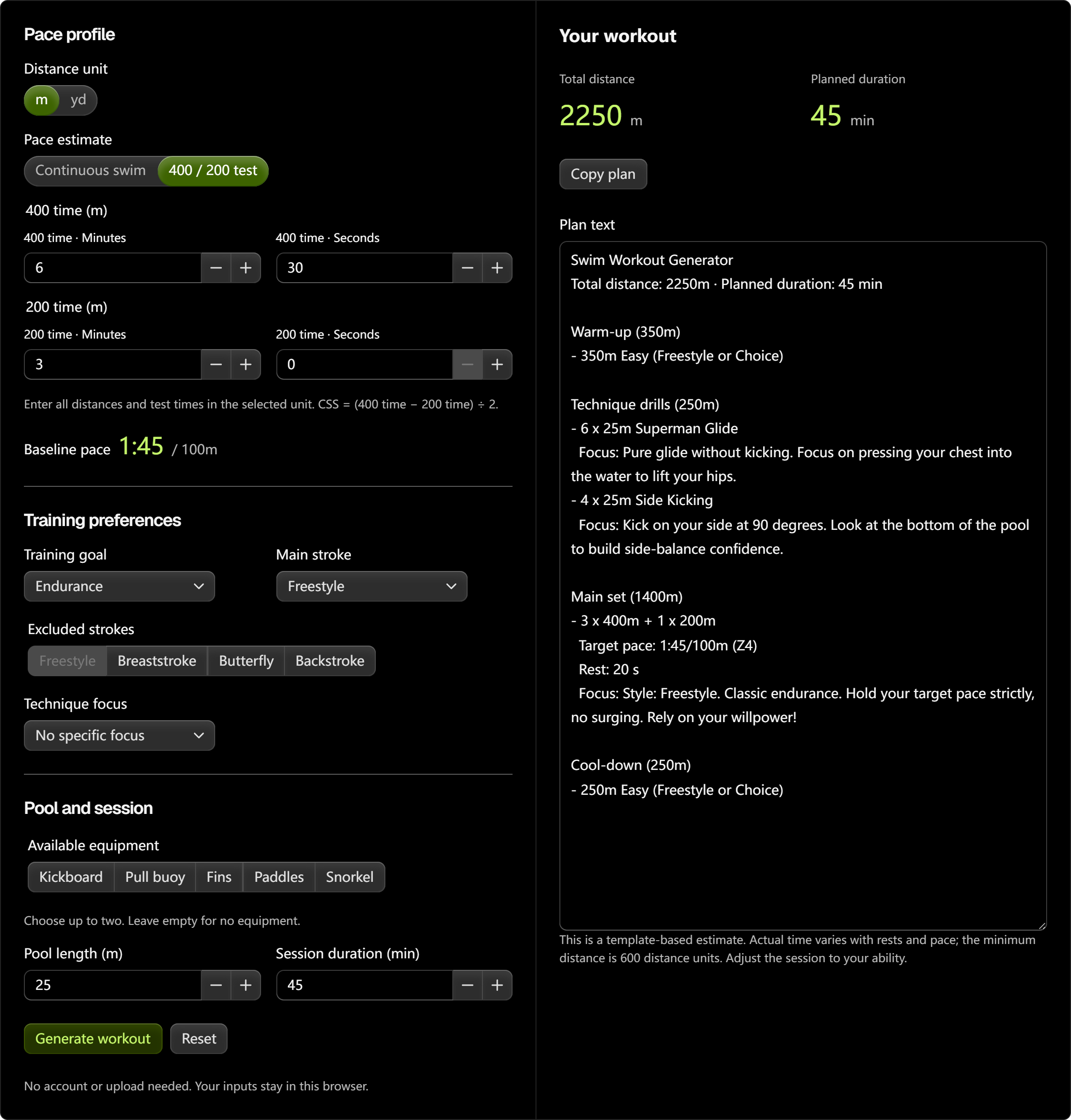
Swim workout generator

Build a pool session around your pace, goals and available equipment. Get warm-up, technique, main sets and cool-down in one plan.

Free to use

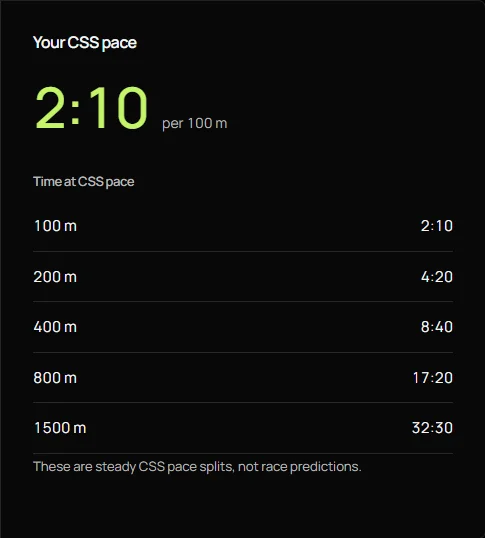
Critical swim speed calculator

Use two timed swims to estimate your critical swim speed and plan your pace.

Free to use

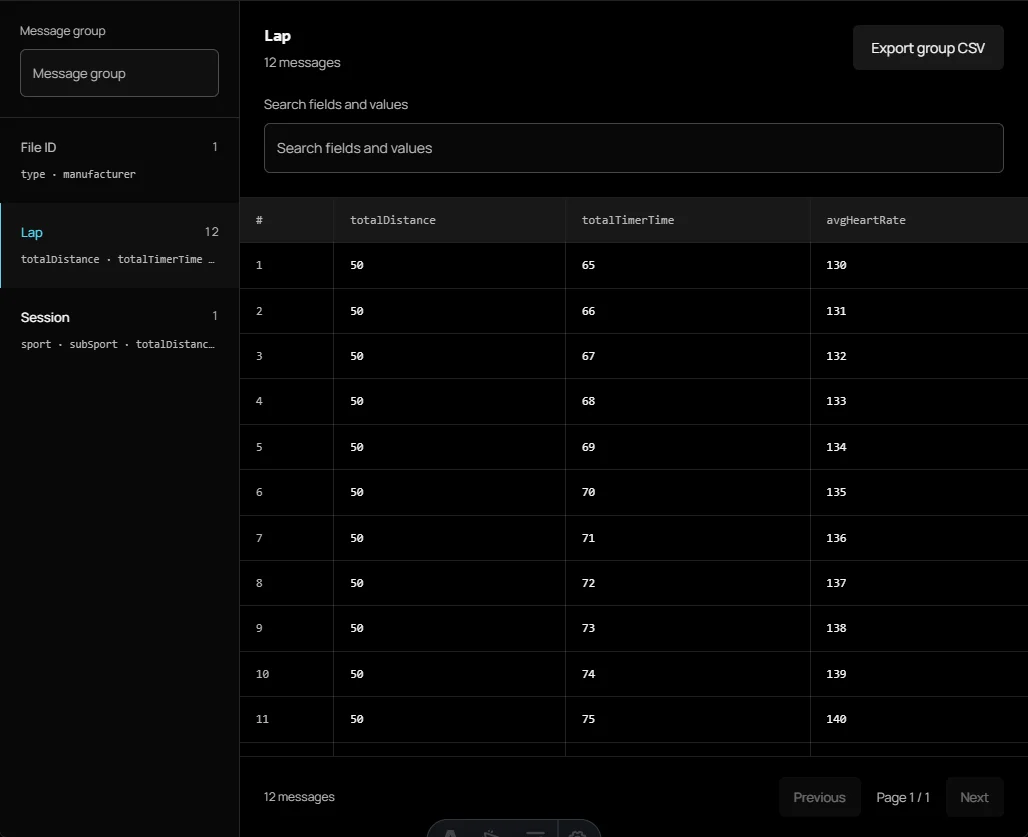
FIT file viewer

Open your activity file to explore its summary, laps and recorded data. Your file stays on your device.

Processed on your device

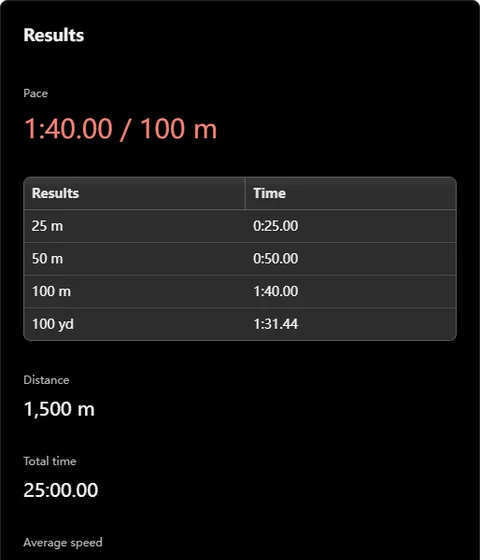
Swim pace calculator

Find pace, time or distance, with speed and metre/yard conversions.

Free to use

Swim lap calculator

Convert pool lengths, round trips and distance without confusing what a lap means.

Free to use

Swim split calculator

Plan target splits in metres or yards and keep the final time on target.

Free to use

Swimming level calculator

Compare a timed swim with published age and gender benchmarks.

Free to use

Swim time converter

Estimate equivalent SCY, SCM and LCM race times.

Free to use

World Aquatics points calculator

Score SCM and LCM performances with 2026 bases; estimate SCY equivalents.

Free to use

Medley relay calculator

Assign four different swimmers to the fastest medley relay combination.

Free to use

Swim race analysis calculator

Compare race splits with an even, negative or custom reference plan.

Free to use

Swim interval & send-off calculator

Plan repeat times, rest and send-offs from your pace or CSS. See the total set time and every start time.

Free to use

SWOLF & stroke efficiency calculator

Calculate SWOLF, stroke rate, distance per stroke and pace from one timed pool length.

Free to use

Choose the right swimming tool

Start with the question you want to answer.

For a session you have not swum yet, estimate your pace, count the pool lengths and build a workout. For a timed effort, plan your splits before swimming and review the recorded segments afterward. For results from different events or pool formats, check the conversion method or points table before comparing numbers.

The examples below illustrate practical inputs you can try; they are not athlete case studies. Keep the distance unit, pool length and timing method consistent. A training estimate is most useful when you understand what went into it and can repeat the same comparison on your next swim.

Swim interval & send-off calculator

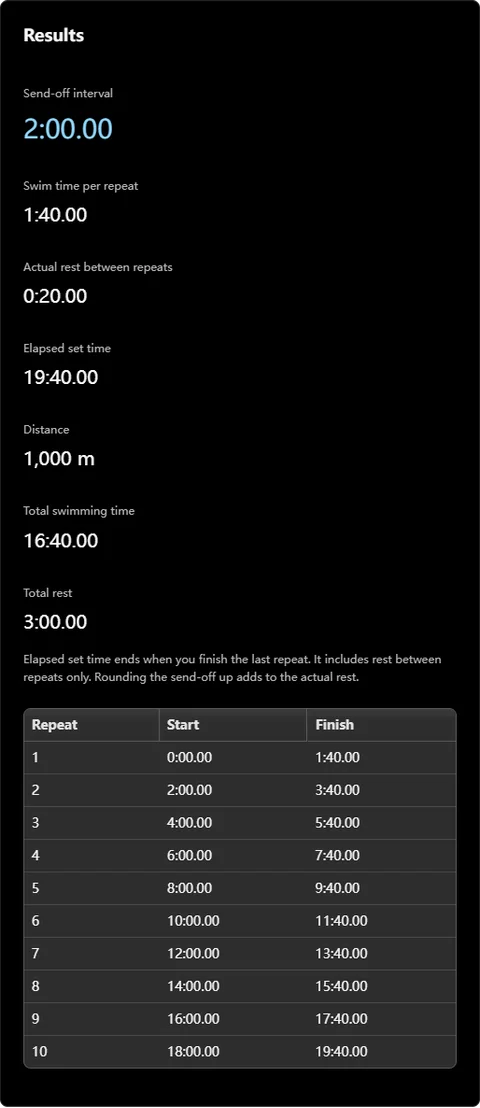
Use the interval calculator when you know how fast you plan to swim and how long you want to rest between repeats. It combines repeat count, distance, pace and rest into a send-off interval and a start schedule. Unlike race splits, these repeats include recovery between efforts.

For example, 10 × 100 m at 1:40 per 100 m with 20 seconds of rest means leaving every 2:00. You finish the final repeat at 19:40; there is no extra rest after it. Choose five-second rounding for an easier pace-clock schedule, or CSS mode to inspect the existing training-zone boundaries.

SWOLF & stroke efficiency calculator

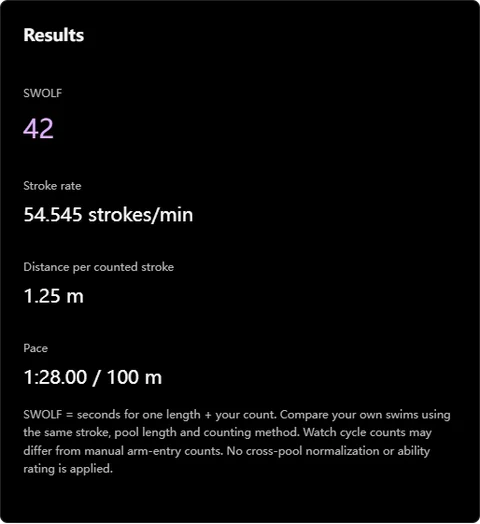
Use one timed pool length to calculate SWOLF, stroke rate and distance per stroke together. For a 25 m length completed in 22 seconds with 20 counted strokes, SWOLF is 42 and distance per counted stroke is 1.25 m. Pace for that length is 1:28 per 100 m.

Keep the pool length, stroke and counting method consistent when comparing sessions. Full-cycle counts and individual arm entries produce different numbers. A lower SWOLF alone is not a universal ability rating, and a wall push-off contributes to the calculated distance per stroke.

Swim workout generator

Build a session when you know how long you have but need help choosing the sets. The swim workout generator uses your selected goal, stroke, equipment and pace inputs to assemble a plan from training templates. Use it before heading to the pool, then review the distances and recovery periods against what you can comfortably complete.

For example, choose a 30-minute endurance session for freestyle and enter your usual pace. Review the warm-up, main set and cool-down, then copy the plan for your swim. The duration is an estimate: rests, drills and actual speed affect how long it takes. Adjust the plan to your ability, and regenerate it whenever you change the settings.

Critical swim speed calculator

Estimate a training pace from two timed swims instead of guessing how fast each repeat should be. The CSS calculator uses the difference between your longer and shorter test times to calculate critical swim speed, then shows training zones and repeat times. Use it when planning a sustained set or checking whether your training pace has changed after a block of consistent swimming.

For example, a 400-metre swim in 8:00 and a 200-metre swim in 3:40 produce a CSS pace of 2:10 per 100 metres. At that pace, 400 metres takes 8:40. Enter tests in the same distance unit and compare results under similar conditions. CSS is a training estimate; it does not guarantee a race result.

FIT file viewer

Inspect an activity file when the summary in your training app leaves a question unanswered. The FIT file viewer opens an uncompressed FIT file in your browser and displays the messages it contains. You can review activity totals, browse lap and record data, inspect available charts and export decoded information. File processing stays on your device.

For example, if a session summary reports 1,500 metres but you expected 1,600, open the file and examine its lap messages alongside the total distance. Search the relevant fields and export the group as CSV for comparison. The viewer displays recorded data rather than reconstructing missing lengths. Charts and the route view depend on which records your device included in the file.

Swim pace calculator

Switch between distance, time and pace when you have two values and need the third. The swim pace calculator helps you interpret a completed workout, estimate how long a planned swim might take or work out how far a steady effort could carry you. Choose metres or yards before entering your figures so the result matches your pool or event.

For example, swimming 1,500 metres in 30 minutes gives an average pace of 2:00 per 100 metres. You can also enter that pace with a 400-metre distance to calculate an 8-minute target. Keep moving time separate from elapsed time that includes rests: both can be useful, but they answer different questions. An average pace also hides changes between individual lengths.

Swim lap calculator

Convert a target distance into pool lengths, or turn a count of lengths into total distance. The swim lap calculator makes the meaning of a lap explicit by letting you distinguish a single crossing from a round trip. Use it when writing a session, checking a manual count or comparing swims completed in pools of different lengths.

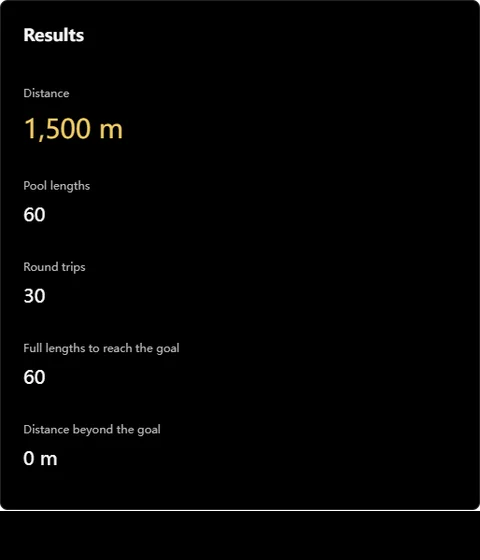
For example, 1,500 metres in a 25-metre pool requires 60 lengths, equivalent to 30 round trips. In a 50-metre pool, the same distance requires 30 lengths. Enter the actual pool length rather than the distance of an out-and-back swim. When a target does not divide evenly by the pool length, check the complete-length result and any extra distance before setting your goal.

Swim split calculator

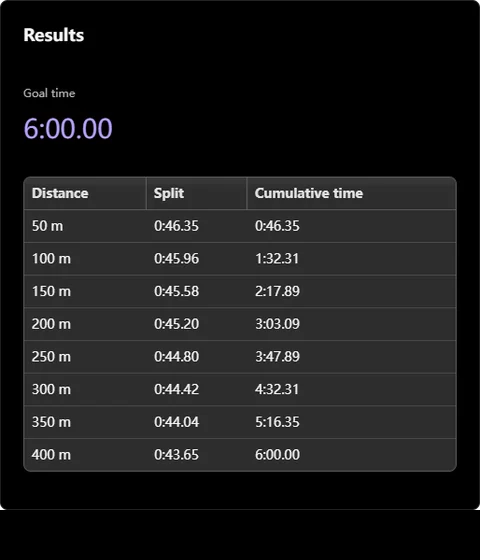
Break a finish-time goal into checkpoints you can follow during a swim. The swim split calculator shows individual segment times and cumulative times for the distance and split interval you choose. Use an even plan for consistent pacing, explore a negative split, or enter a custom profile when you have a specific distribution in mind.

For example, a 400-metre target of 8:00 with even 100-metre splits gives checkpoints of 2:00, 4:00, 6:00 and 8:00. These cumulative readings are different from the duration of each individual segment. Write down the format you intend to use before training. The plan distributes your target time; it does not determine whether that target is achievable or account for every start and turn.

Swimming level calculator

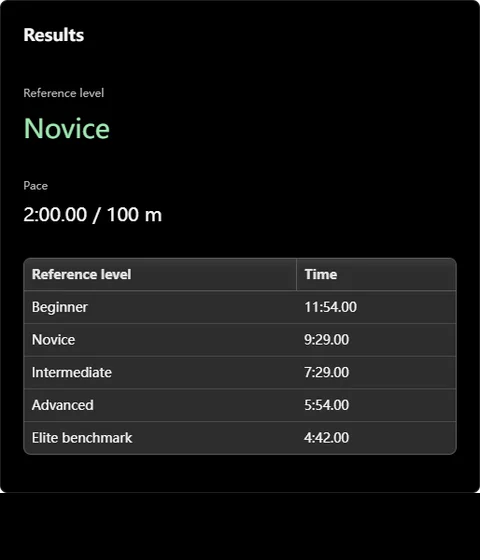
Put a freestyle time in context using the calculator’s reference tables. Enter the supported distance, age, sex category and swim time to see where the result sits against the available thresholds. Use it as a reference when choosing a personal benchmark or reviewing progress over several comparable efforts, with the table methodology in mind.

For example, a 30-year-old swimmer can enter a 400-metre time of 8:00, note the displayed category and thresholds, then repeat the comparison after a later test. Keep the distance and testing conditions consistent. A table category describes how one entered time compares with those references; it does not assess stroke technique, open-water skills or readiness for a particular race. Read the source notes before interpreting the label.

Swim time converter

Estimate an equivalent event time when comparing short-course yards, short-course metres and long-course metres. The swim time converter uses the selected stroke, event and course to apply its conversion model. Use it when reviewing results from different pool formats or setting an approximate training reference before you have a time in the destination course.

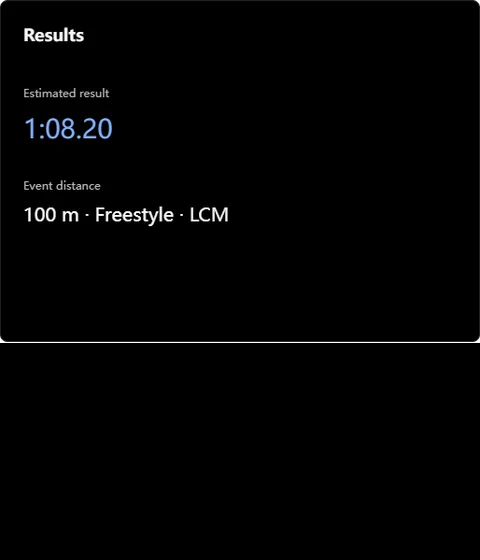
For example, enter a 100 freestyle result of 1:10 from a 25-metre pool and select long-course metres to view the estimated equivalent. This is a course conversion, so it considers more than changing metres into yards. Pool length changes the number of turns, and swimmers benefit from turns differently. Check the displayed method and treat the converted time as an estimate rather than an official qualifying result.

World Aquatics points calculator

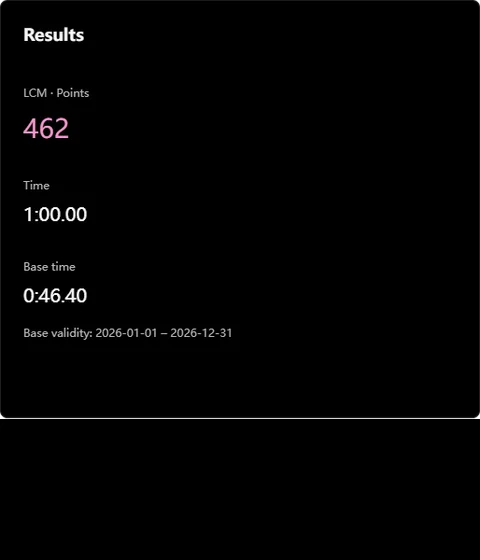
Translate a swim time into points, or calculate the time associated with a target points score. The World Aquatics points calculator uses the selected event, course and category with its included base-time table. Use it to compare performances across supported events on a common numerical scale, while checking the table edition shown by the tool.

For example, select your event and category, switch to target-time mode and enter 1,000 points to see the corresponding base time. Then compare a lower points target to understand the required time. Points depend on the selected reference table, so results from different editions may differ. Short-course yard outputs are estimates through course conversion; keep them separate from points calculated directly for a supported metre course.

Medley relay calculator

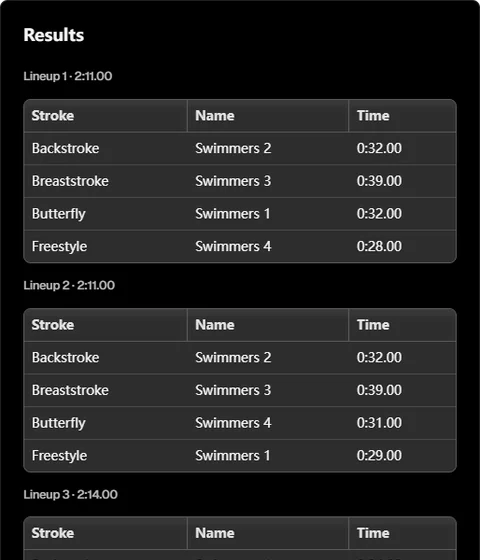
Compare possible medley relay lineups when several swimmers can cover more than one stroke. Enter four to six swimmers and their available stroke times. The medley relay calculator searches valid assignments, uses each swimmer once and lists the fastest combinations by the sum of the entered times. Use it to prepare options before discussing the team lineup.

For example, with five swimmers available, enter comparable times for backstroke, breaststroke, butterfly and freestyle, leaving unavailable strokes blank. Review which assignments give the lowest total and where an alternate swimmer changes the result. Use times over the same relay-leg distance and course. The totals do not predict takeover gains, reaction times or how a swimmer will perform on race day; they compare the inputs you provide.

Swim race analysis calculator

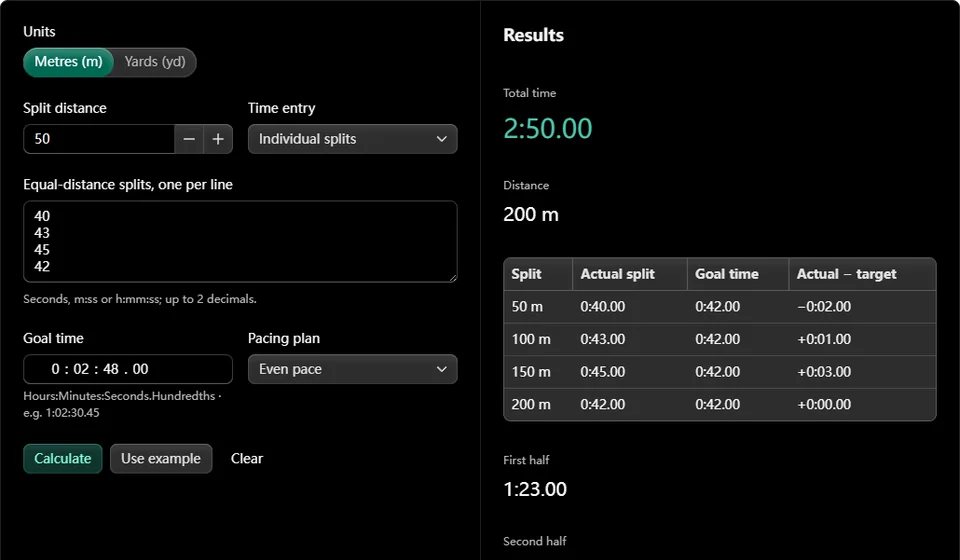
Find where a swim moved away from your pacing plan by reviewing its recorded splits. The race review calculator accepts individual segment times or cumulative checkpoints, then compares the segments with an even, negative or custom target profile. Use it after a timed effort to identify an early surge, a slower middle section or a stronger finish.

For example, enter four equal-distance splits of 29, 31, 32 and 30 seconds for a two-minute effort. Against an even two-minute target, the 30-second benchmark makes each segment’s difference easy to see. If your source instead lists cumulative checkpoints, select that input mode before pasting them. Compare equal-distance segments and check the recording first: a missing or incorrectly entered split can change the interpretation of the entire swim.