Sources checked October 2, 2026. Prices are U.S. Apple Store starting prices and may change.
The best Apple Watch for swimming is not necessarily the most expensive one.
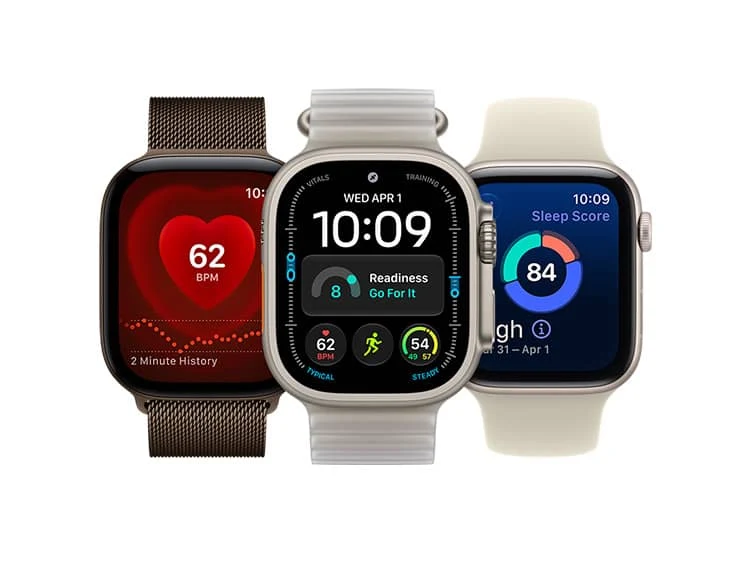
For swimmers who want a watch for both regular training and everyday wear, Apple Watch Series 12 is our overall pick. For longer open-water sessions and a more outdoor-focused setup, we would choose Apple Watch Ultra 4. For buyers primarily interested in tracking swims without spending more than necessary, Apple Watch SE 3 is the strongest value option. All three are part of Apple’s current lineup. [1]
The distinction matters: paying more should solve a problem you actually have, rather than simply add features you will rarely use.
This is a research-based buying guide, not a hands-on comparison. Recommendations are editorial judgments based on Apple’s published specifications, supported swimming features, pricing, and usage guidance—not proof that one model counts laps or measures underwater heart rate more accurately than another.
Best Apple Watch for Swimming at a Glance
| Model | Our recommendation | Water-resistance rating | Advertised normal-use battery life | U.S. starting price |
|---|---|---|---|---|
| Apple Watch Series 12 | Best overall for swimming and everyday wear | 50 meters | Up to 24 hours | $399. [2] |
| Apple Watch Ultra 4 | Best for longer open-water sessions and outdoor use | 100 meters | Up to 50 hours | $799. [3] |
| Apple Watch SE 3 | Best value for core swim tracking | 50 meters | Up to 18 hours | $249. [4] |
These battery figures describe mixed everyday use, not continuous swimming time. Apple’s separate workout-battery tests use outdoor running sessions, so those figures should not be presented as verified swimming endurance either. Actual battery life varies with use, settings, and conditions. [5]
Prices are starting prices for base configurations; different sizes, materials, bands, and connectivity options can cost more.
Apple Watch Series 12: Best Overall for Swimming and Everyday Wear
The Series 12 is our default recommendation for someone who wants to swim regularly without wearing a large outdoor watch throughout the rest of the day.
In its aluminum version, it comes in 42mm and 46mm sizes. The 42mm GPS model weighs 32.2 grams, compared with approximately 63 grams for the Ultra 4 case. That is a meaningful difference to consider before choosing the larger watch, although personal comfort still depends on wrist size and band fit. [6]
The Series 12 also has a display rated at up to 2,000 nits and a dedicated water-temperature sensor. These are useful additions to weigh alongside its swimming features, rather than reasons to assume it will automatically record a more accurate workout. [7]
Charging is another practical consideration. Apple lists approximately 30 minutes to reach 80% charge for Series 12, compared with approximately 45 minutes for SE 3. For someone fitting workouts and sleep tracking around a busy schedule, that shorter charging window may justify part of the price difference. [8]
Choose Series 12 when you want a balanced swimming-and-everyday watch. Choose the SE 3 instead when the main goal is recording your sessions at a lower cost.
Apple Watch Ultra 4: Best for Longer Open-Water Sessions
The Ultra 4 is our premium pick for swimmers whose priorities extend beyond routine pool workouts.
Its hardware includes precision dual-frequency GPS, a customizable Action button, a display rated at up to 3,000 nits, and a 100-meter water-resistance rating. Those features make it the most outdoor-oriented option in this comparison. [9]
Our strongest reason to choose it, however, is the additional battery margin. Apple’s advertised normal-use endurance is substantially longer than that of Series 12 or SE 3. That makes the Ultra more appealing when swimming is one part of a long training day or when charging between activities is inconvenient. This is a recommendation based on published endurance figures—not a measured continuous-swimming result. [10]
There is an important limit to the water-resistance claim. Although the Ultra 4 carries a 100-meter rating, Apple specifies recreational scuba use only to 40 meters, with a compatible third-party app. The rating is not permission to dive to 100 meters. [11]
The trade-off is its 49mm case. Try that size on before paying for capabilities you may not need. For ordinary lap sessions, the Ultra’s premium hardware is a preference—not a prerequisite for tracking your swim. [12]
Apple Watch SE 3: Best Value for Swim Tracking
The SE 3 deserves serious consideration even when your budget stretches further.
It starts at $249 in the U.S., making its base configuration $150 less expensive than the entry-level Series 12. That is a substantial saving when swimming is the main reason you are buying a watch. [13]
Apple lists pool and open-water swimming, custom pool workouts, automatic stroke detection, kickboard detection, splits, automatic sets, SWOLF, pace, distance, and laps among its supported features. It also has an Always-On display and a 50-meter water-resistance rating. This is not simply a basic activity watch that happens to tolerate water. [14]
Its main compromises for this comparison are a lower maximum display brightness and shorter advertised normal-use battery life than the other two models. Those differences may matter more to some buyers than to others. [15]
Choose SE 3 when your priority is getting useful swim records at the lowest starting price in the current lineup. There is little reason to spend more purely because a more expensive watch sounds more “serious.”
What Actually Matters When Choosing a Swimming Apple Watch?
Core swimming features are shared
The Series 12, Ultra 4, and SE 3 all support the central tools most buyers are looking for: pool and open-water workouts, stroke detection, kickboard detection, automatic sets, swimming distance, pace, and SWOLF. Custom pool workouts are also available across all three. [16]
That changes the buying question.
Instead of asking, “Which model has swimming features?” ask, “Which differences would improve my own routine?” Battery margin, case size, display characteristics, and price are more useful decision points than assuming that the most expensive model must produce the best swim data.
Water resistance is not the same as waterproofing
Apple describes its watches as water resistant, not waterproof. Its guidance permits supported standard models to be used for shallow-water activities such as swimming in a pool or ocean, while reserving activities such as recreational scuba diving and high-speed water sports for Ultra models within their stated limits. [17]
For a swimmer choosing a watch for ordinary pool sessions, the difference between a 50-meter and 100-meter rating should therefore not be the entire purchasing decision.
Water resistance can also diminish over time. Age, impacts, and exposure to certain substances can affect it, so the original specification should not be treated as a permanent guarantee. [18]
Feature support does not prove measurement accuracy
A specification sheet can tell you that a watch supports lap counting. It cannot tell you how accurately that watch will capture every part of your own workout.
A useful first-session check is to swim a known distance and compare it with the recorded result. For example, 20 lengths of a 25-meter pool should total 500 meters. Before starting, make sure the pool length is entered correctly—a setting Apple explicitly includes in its Pool Swim setup instructions. [19]
Heart-rate readings deserve similar caution. Apple notes that water and sweat can cause poor recordings. Treat swimming heart-rate data as one input alongside your pace, session structure, and perceived effort, rather than assuming a newer sensor guarantees uninterrupted accuracy in the water. [20]
Choose a Band That Is Suitable for Water
The watch case is only part of the purchase.
For an Ultra setup, the Ocean Band is a logical option to consider. Apple describes its titanium buckle and adjustable loop as designed to secure the band during high-speed water sports. That gives it a clear water-focused purpose. [21]
Do not assume every Apple Watch band is equally suitable for swimming. Apple specifically identifies several leather, FineWoven, and other band styles as not water resistant. Check the exact band rather than relying on the watch’s rating. [22]
Fit matters, too. Apple recommends wearing the watch neither too tightly nor too loosely, with appropriate skin contact for its sensors. A suitable case-and-band combination is more important than choosing a watch by case size alone. [23]
How to Use Apple Watch for Swimming
Before entering the water: Open the Workout app and choose Pool Swim or Open Water Swim. For a pool workout, enter the correct pool length before starting. Apple’s swimming guide also explains that pressing the Digital Crown and side button together pauses or resumes the workout. [24]
During the workout: Water Lock turns on automatically for supported water-based workouts. It prevents unintended touchscreen input; it does not increase the watch’s physical water resistance. Afterward, pressing and holding the Digital Crown unlocks the display and plays tones that clear water from the speaker. [25]
After swimming: Gently rinse the watch under lightly running, warm, fresh water and dry the watch and band. Apple advises against using external heat, compressed air, or cleaning products on the watch itself. [26]
Frequently Asked Questions
Do I need cellular service to track a swim?
No. Apple Watch can record workouts without its paired iPhone nearby and without a Wi-Fi connection. Built-in GPS also works independently of the phone for outdoor workout distance and speed information. Cellular service is not a requirement for recording the workout itself. [27]
Does Water Lock make an Apple Watch waterproof?
No. Water Lock disables touchscreen input to prevent accidental taps. Turning it off triggers speaker-water ejection. It is not a seal or an upgrade to the watch’s water-resistance rating. [28]
Should I replace an older Apple Watch just for swimming?
Not automatically. For example, Apple’s Series 10 specifications already list pool and open-water swimming, stroke and kickboard detection, SWOLF, and other swimming metrics. Before upgrading, identify a specific problem—such as charging inconvenience or an unsuitable fit—rather than assuming that an older model cannot record a useful swim. [29]
Can I use these watches with an Android phone?
Apple states that Apple Watch is compatible with iPhone, not Android. Check the exact iPhone and iOS requirements for the model before buying. [30]
Final Verdict: Which Apple Watch Should You Buy for Swimming?
Our overall recommendation is Apple Watch Series 12 for someone balancing swimming with everyday wear.
Choose Apple Watch Ultra 4 when additional battery margin and outdoor-focused hardware justify the larger case and higher cost. Choose Apple Watch SE 3 when core swim tracking and value matter most.
The most useful rule is simple: buy for the sessions you actually swim—not for the deepest water-resistance number on the specification sheet.