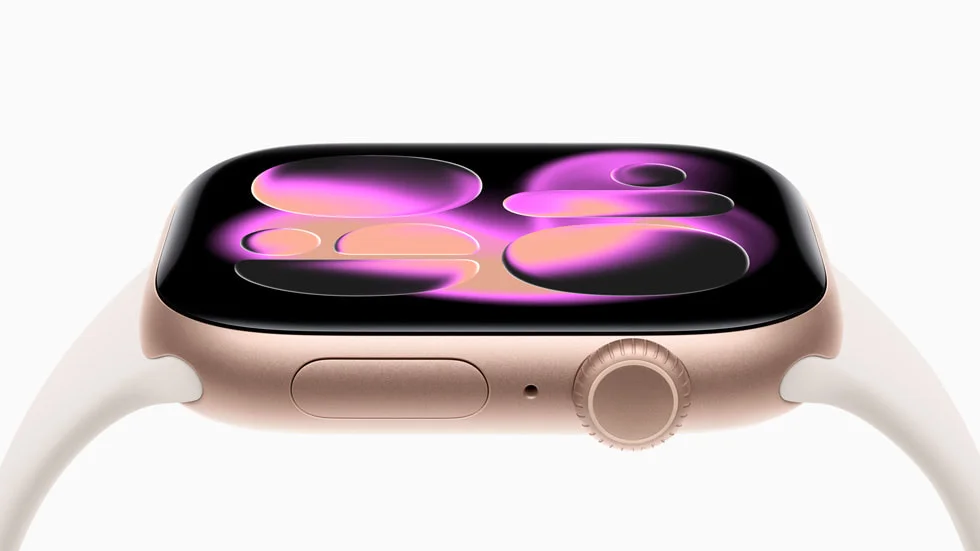
Apple Watch Series 11 is water-resistant, but not fully waterproof. Its 50-meter rating under ISO standard 22810:2010 makes it suitable for shallow-water activities such as pool and ocean swimming. Apple excludes scuba diving, waterskiing, and activities involving high-velocity water or submersion below shallow depth. Apple Watch Series 11 technical specifications
For a swimmer, the useful question is whether your planned activity fits those limits. An ordinary pool workout does. A dive to 50 meters does not.
What does the 50-meter water-resistance rating mean?
The 50-meter rating is a standard-based water-resistance classification, not permission to dive 50 meters underwater. Read it together with Apple’s activity restrictions in the specifications linked above.
There are two different questions here: what rating the watch meets, and which activities Apple supports. The number answers the first; the shallow-water guidance answers the second. Treating the rating as a maximum diving depth skips that second part.
For example, swimming lengths in a 25-meter pool falls within the intended use. Scuba diving to 10 meters does not become suitable simply because 10 is less than 50. The activity matters as well as the depth.
Can you swim with Apple Watch Series 11?
Yes. Apple supports shallow-water swimming in pools and the ocean. The following checklist translates its guidance into everyday decisions.
| Activity | Guidance for Series 11 |
|---|---|
| Pool swimming | Suitable for ordinary shallow-water swimming |
| Ocean swimming | Suitable within shallow-water limits; rinse afterward |
| Rain and sweat | Suitable for everyday exposure |
| Showering with soap or shampoo | Remove the watch |
| Scuba diving or waterskiing | Outside supported use |
| Sauna or steam room | Remove the watch |
Showering introduces a different exposure from swimming. Apple warns that soap and personal-care products can affect water seals and acoustic membranes. Taking the watch off before a post-swim shower helps avoid that exposure. Check your band too: some leather and stainless-steel bands are unsuitable for water. Apple’s water-resistance guidance
How to prepare Series 11 for a swimming workout
Use this routine before entering the water:
- Check the watch and band. Look for visible damage and secure a band suitable for swimming. A visual check cannot verify the condition of the seals.
- Open the Workout app. Choose Pool Swim for pool lengths or Open Water Swim for a swim in a lake or the sea.
- Enter the correct pool length. In a 25-meter pool, enter 25 meters—the distance of one crossing, not a 50-meter round trip.
- Start the workout before swimming. Confirm that recording has begun.
- Finish the recording after your swim. Unlock the display and choose End. Unlocking alone does not end the workout.
Apple’s swimming guide explains the workout setup and how pool swims track sets, rests, strokes, and distance. For breaks when you want to stop the timer, follow our guide to pausing and resuming an Apple Watch swim workout. Apple’s swimming workout instructions
Does Water Lock make Apple Watch Series 11 waterproof?
Water Lock does not increase water resistance. It blocks accidental touchscreen input. When you turn it off, the watch plays tones to help eject water from the speaker. Those functions do not create a physical seal.
Water Lock activates automatically when you start a swimming workout. To enable it manually, press the side button, open Control Center, and tap the water-drop icon. After swimming, press and hold the Digital Crown to unlock the display and eject water. Apple’s Water Lock instructions
This distinction also helps with troubleshooting: a display that ignores touch while Water Lock is active is behaving as intended. If you cannot clear the water-drop icon, use our guide to turning off Apple Watch Water Lock.
How should you care for Series 11 after swimming?
Following Apple’s water-resistance guidance above, gently rinse the watch under lightly running, warm fresh water. Dry the watch and band thoroughly with a nonabrasive, lint-free cloth. Avoid heat, compressed air, and inserting objects into openings.
Water resistance can diminish over time, and impacts can affect it. Previous successful swims do not verify its present condition.
Keep recording problems separate from water protection. An incorrect distance alone does not establish water damage. If your concern is a missing length, start with our Apple Watch swimming accuracy guide, which covers pool settings, turns, drills, and interruptions.
Product image: Apple / Apple Newsroom.