Apple Watch Series 12 is water-resistant, but not fully waterproof. Apple lists a 50-meter water-resistance rating under ISO standard 22810:2010 and describes it as swimproof. Its swimming features include pool and open-water workouts, stroke detection, and tracking for pace, distance, and laps. Apple Watch Series 12 technical specifications
For swimmers deciding whether to wear it in the pool, the answer is yes, within Apple’s shallow-water guidance. The more useful question is where that permission ends—and why the watch’s 50-meter rating and 6-meter depth gauge describe different things.
What do the 50-meter rating and 6-meter depth gauge mean?
Series 12 lists three specifications that are easy to confuse:
| Specification | What it describes |
|---|---|
| 50-meter water resistance | The watch’s water-resistance rating under ISO 22810:2010 |
| Depth gauge to 6 meters | The listed measurement range of the depth sensor |
| IP6X | A dust-resistance rating |
These specifications, listed on Apple’s page above, answer separate questions. A sensor’s measuring range does not determine which underwater activities are supported. Likewise, a dust rating says nothing about extending the watch’s swimming limits.
Do not interpret 50 meters as a permitted diving depth. A water-resistance rating needs to be read alongside the manufacturer’s activity restrictions. Planning a scuba dive shallower than 50 meters does not make that activity suitable for Series 12.
Can you wear Series 12 in a pool or the ocean?
Apple permits shallow-water swimming in pools and the ocean for Series 2 and later. It excludes diving, waterskiing, and activities involving high-velocity water or submersion below shallow depth for non-Ultra models. Series 12 falls within that guidance. Apple’s water-resistance and care guidance
For a typical pool visit, separate the activities: swimming lengths is supported, but wearing the watch into a steam room or sauna afterward is not recommended. Remove it before showering with soap or shampoo, which Apple warns can affect seals and acoustic membranes.
Check the band as well. The watch’s rating does not make every accessory suitable for swimming; Apple identifies several leather and stainless-steel bands as unsuitable for water exposure.
Is Series 12 more water-resistant than Series 11?
The published water-resistance rating remains 50 meters. Our Apple Watch Series 11 water-resistance guide explains the previous model’s rating and restrictions. Series 12’s specification does not establish a higher water-resistance class.
If swimming is your reason for considering an upgrade, distinguish features from protection. A newer model can offer different capabilities without expanding the activities covered by its water-resistance rating. Compare the features you will use, rather than treating the model number as evidence of stronger waterproofing.
How should you set up Series 12 for your first swim?
Before entering the pool, use a short setup routine:
- Secure a water-appropriate band. Check for visible damage; this cannot verify the internal seals.
- Open Workout and choose Pool Swim. Use Open Water Swim for a swim in a lake or the sea.
- Enter the actual pool length. A 25-meter pool needs a 25-meter setting, even if you think of an out-and-back swim as one lap.
- Start recording before swimming. Confirm that the workout has begun.
- End the workout after finishing. Unlock the display, then select End.
Apple’s swimming instructions explain this setup and how pool workouts track sets and rests. If you want to stop the timer during a break, use our guide to pausing an Apple Watch swim workout. Apple’s swimming workout instructions
For your first session, manually count a short set so you have something concrete to compare with the saved workout. Eight lengths of a 25-meter pool should total 200 meters. This checks the recording; it does not test water resistance.
Do you need Water Lock to make Series 12 waterproof?
Water Lock controls the screen and speaker; it does not change the watch’s water-resistance rating. It prevents accidental touchscreen input, then plays tones to help eject water from the speaker when disabled.
Starting a swimming workout turns Water Lock on automatically. You can also enable it through Control Center by pressing the side button and tapping the water-drop icon. Afterward, press and hold the Digital Crown to unlock the watch and eject water. Apple’s Water Lock instructions
If the screen ignores your taps while the droplet is visible, first check whether Water Lock is still active. Our Water Lock troubleshooting guide walks through unlocking it. Touchscreen lock and workout recording are separate: unlocking the display does not finish your swim workout.
What should you do after swimming?
Following Apple’s care guidance above, rinse the watch gently under lightly running, warm fresh water. Dry the watch and band thoroughly with a nonabrasive, lint-free cloth. Avoid heat, compressed air, or inserting objects into openings.
Water resistance can diminish over time, and impacts can affect it. A successful previous swim does not verify the condition of the seals today. Build rinsing, drying, and a quick condition check into your regular swimming routine.
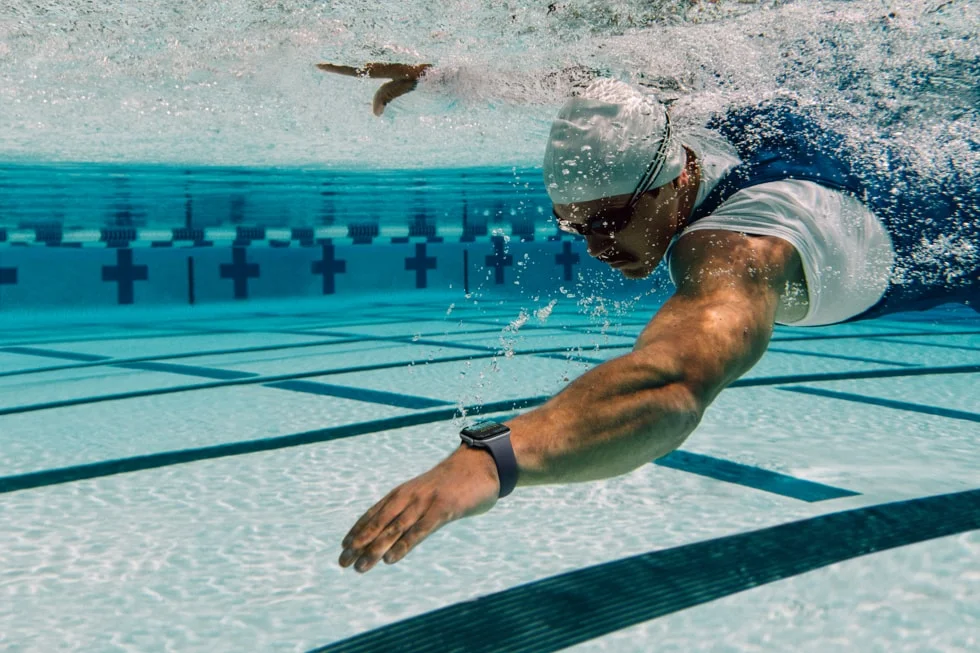
Swimming image: Apple / Apple Newsroom.